
Ekran görüntüleri

Uygulama ayrıntıları
- Sürüm
- 4.3 | 4.2 | 3.7 | 3.6 | 3.3 | 3.2 | 3.1...
- Boyut
- 2.97 MB
- Güncellendi
- July 11, 2023
- Gerektirir
- Windows Vista
- Dil
- English | German | Spanish | French | It...
- Lisans
- Free
- Geliştirici
- sharpnight
- Kategori
- Windows OS
SoftPas dilinde:
Bu ürün aşağıdaki dillerde de mevcuttur:
7 Data Recovery Suite Free Edition hakkında
7 Data Recovery Suite Free Edition’ı İndirin – Windows için Güvenli, Hızlı ve Güvenilir Dosya Kurtarma
Yanlışlıkla silme, biçimlendirme veya donanım arızası nedeniyle önemli dosyalarınızı kaybetmek yıkıcı olabilir. 7-Data Recovery Suite Free Edition ile sabit diskler, SSD’ler, USB sürücüler, SD kartlar ve diğer depolama aygıtlarından kayıp belgeler, fotoğraflar, videolar ve daha fazlasını kurtarabilirsiniz. Bu güçlü ancak kullanıcı dostu araç, farklı veri kaybı senaryolarını ele almak için dört özel kurtarma modu sunar: Silinen Dosya Kurtarma, Tam Kurtarma, Kayıp Bölüm Kurtarma ve Dijital Medya Kurtarma. Çöp Kutusunu boşaltsanız, bir sürücüyü biçimlendirmişseniz veya sistem çökmesi yaşamışsanız, bu yazılım verilerinizi hızlı ve güvenli bir şekilde geri almanıza yardımcı olur. Ücretsiz sürüm, 1 GB’a kadar dosya kurtarmaya izin vererek ara sıra kullanıcılar için idealdir. Temiz arayüzü, gerçek zamanlı tarama ve 80 MB’dan küçük dosyalar için ön izleme desteği ile 7-Data Recovery Suite, her Windows kullanıcısının sahip olması gereken bir yardımcı programdır.
Dört Uzmanlaşmış Modül ile Kapsamlı Veri Kurtarma
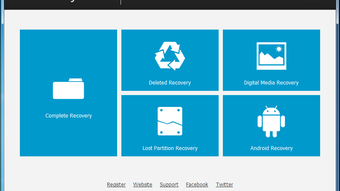
When data loss strikes, time is of the essence. The 7-Data Recovery Suite Free Edition stands out by offering four distinct recovery modules, each designed to tackle a specific type of data loss. The first, Deleted File Recovery, is perfect for users who accidentally deleted files from their desktop, documents folder, or even bypassed the Recycle Bin using Shift + Delete. This mode scans the file system for remnants of deleted entries and retrieves them before they’re overwritten. The second module, Complete Recovery, comes into play when the drive has been formatted or corrupted. It performs a deep scan across the entire storage volume to locate and restore lost data, even if the partition table is damaged. The Lost Partition Recovery feature is one of the most powerful tools in the suite. It’s designed for situations where a partition has been deleted, the MBR (Master Boot Record) is corrupted, or the disk has been repartitioned. This mode can reconstruct lost partitions and recover files stored within them. For multimedia enthusiasts, the Digital Media Recovery module is a game-changer. It specializes in recovering images, videos, and audio files from USB drives, SD cards, and memory sticks—commonly used devices that are prone to accidental formatting or corruption. What makes this software truly exceptional is its ability to preserve original folder structures during recovery. This ensures that recovered files are organized just as they were before the loss. Additionally, the interface allows users to filter files by type, size, or name, and preview them directly within the app. While the free version limits recovery to 1GB, the robustness of these four modules makes it a top-tier choice for anyone needing reliable file recovery on Windows.Kolay Kurulum, Sezgisel Arayüz ve Sorunsuz Performans
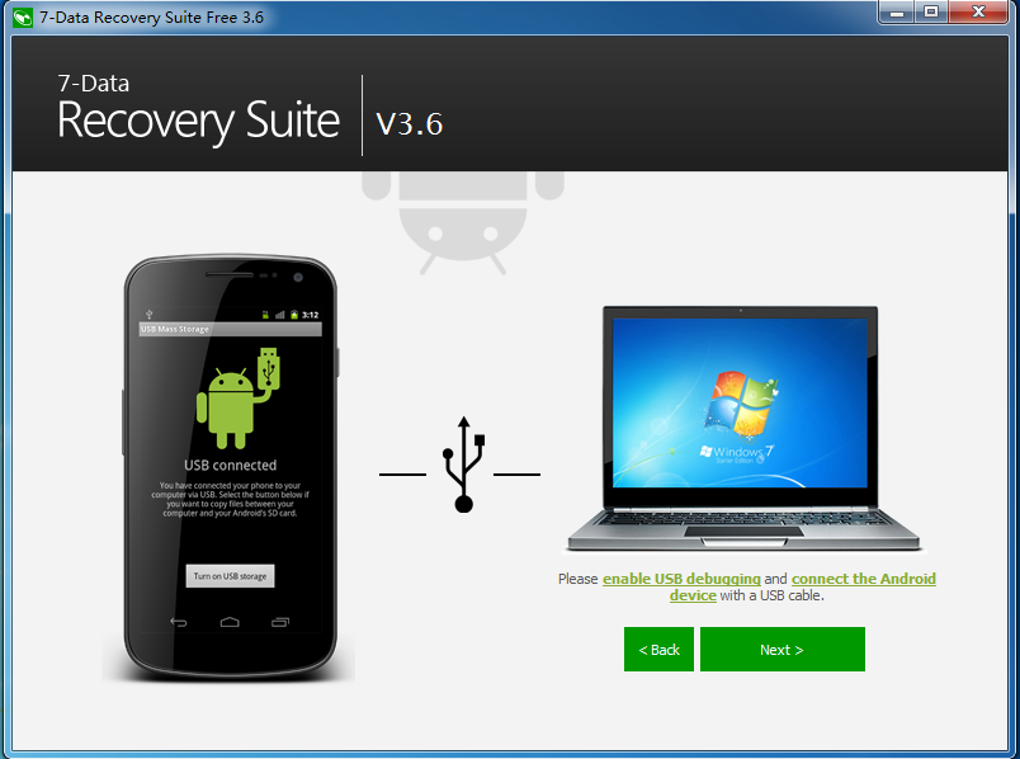
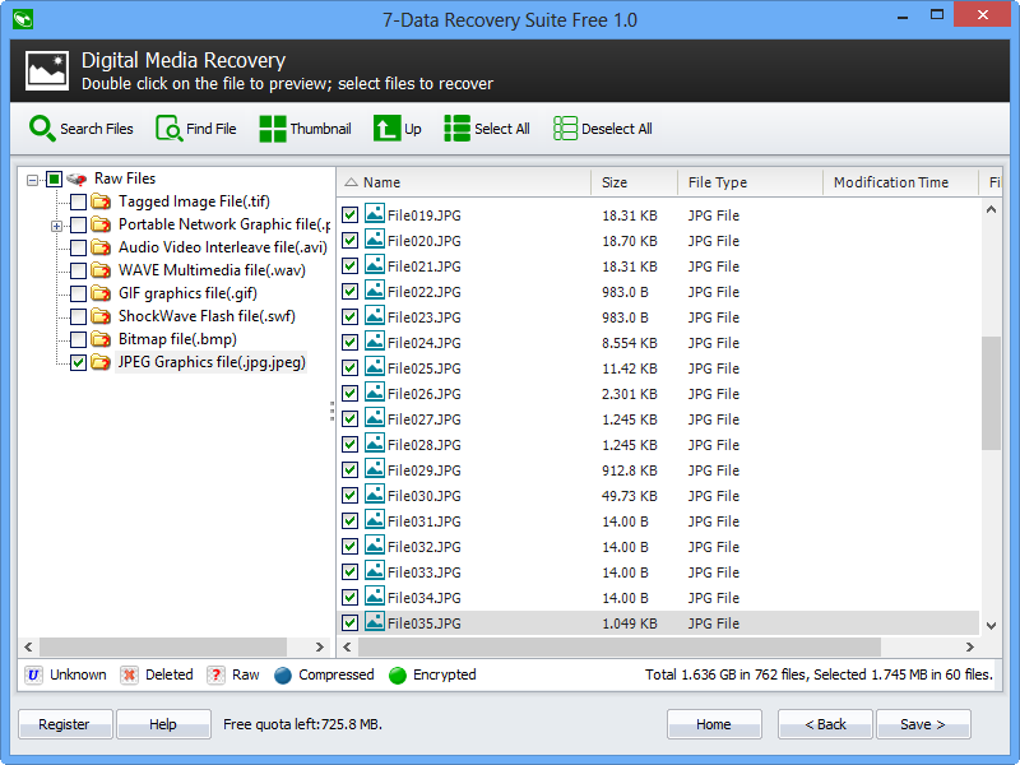
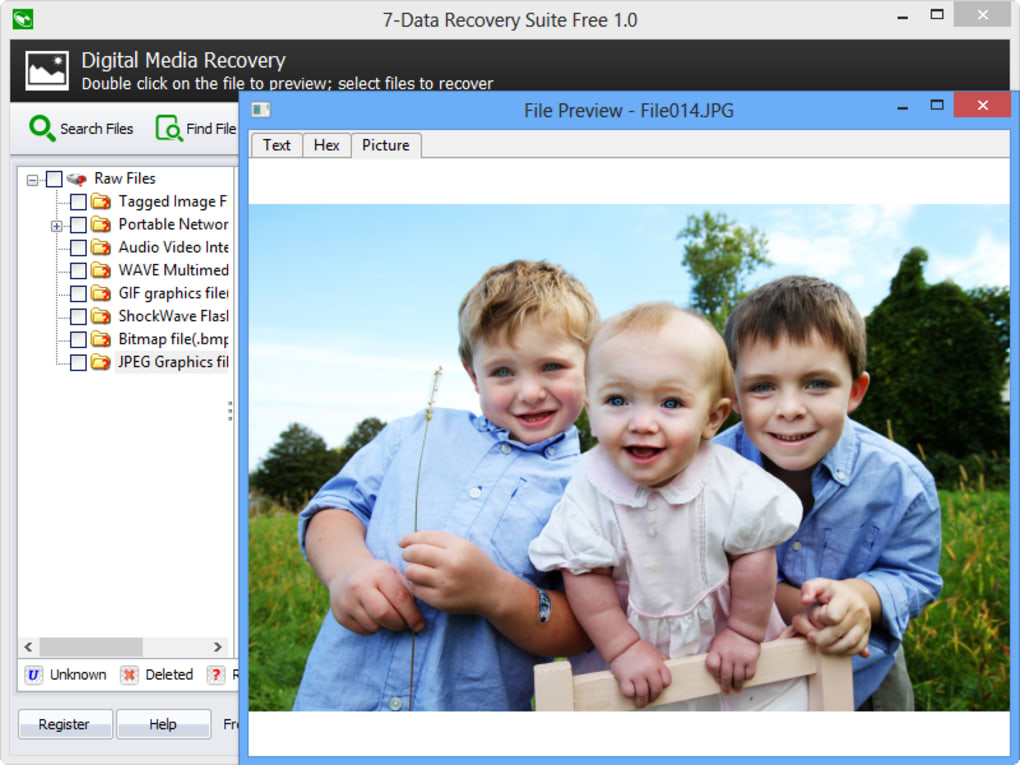
Getting started with 7-Data Recovery Suite Free Edition is a breeze. The installer is lightweight and includes standard setup options, guiding users through the process with minimal friction. One critical tip the software provides is to avoid installing the app on the same drive you intend to recover data from. This precaution helps prevent overwriting the very files you're trying to restore. For users who prefer portability, a portable version is available—ideal for running the tool directly from a USB flash drive without installation. The interface is clean, modern, and highly intuitive. Upon launching, users are greeted with a central dashboard featuring four clearly labeled buttons for each recovery mode. Selecting a mode prompts you to choose the target drive—whether it’s an internal hard drive, external SSD, or a memory card. The scanning process begins immediately and runs efficiently, with progress bars and estimated completion times. During scanning, the software displays real-time results, showing recoverable files with their names, sizes, types, and modification dates. One of the standout features is the ability to preview files before recovery. You can view images in thumbnail mode, play short audio clips, and open text files directly in the app. However, keep in mind that file previews are only supported for files under 80MB. Larger files may not display correctly. The app also color-codes files—blue for deleted, green for raw, red for encrypted—making it easy to identify file status at a glance. Once you’ve selected the files you want, simply choose an output folder and initiate the recovery. The entire process is straightforward, even for non-technical users.Artılar, Eksiler ve Sıkça Sorulan Sorular
- Artılar:
- Farklı veri kaybı senaryoları için dört uzmanlaşmış kurtarma modu
- Sabit diskler, SSD’ler, USB sürücüler, SD kartlar ve daha fazlasından kurtarma desteği
- Orijinal klasör yapısını ve dosya meta verilerini korur
- Dosya ön izleme özelliğiyle sezgisel, kullanıcı dostu arayüz
- Hareket halindeyken kurtarma için taşınabilir sürüm mevcut
- Ücretsiz sürüm 1 GB’a kadar veri kurtarmaya izin verir
- Eksiler:
- Ücretsiz sürüm kurtarmayı 1 GB ile sınırlar—daha büyük kurtarmalar için Pro sürüm gerekir
- 80 MB’dan büyük dosyalar için ön izleme mevcut değil
- Bazı karmaşık Office dosyaları gibi belirli belge türlerini algılamada zaman zaman sorun yaşanabilir
- Mac ve Linux desteği sınırlı (sadece Windows)
- Gelişmiş kurtarma özellikleri ücretli sürümde kilitli
Sıkça Sorulan Sorular (SSS)
Çöp Kutusunu boşalttıktan sonra dosyaları kurtarabilir miyim?
Evet, 7-Data Recovery Suite Free Edition Çöp Kutusu boşaltıldıktan sonra bile dosyaları kurtarabilir. Yazılım, silinen dosya girdilerini üzerine yazılmadan önce bulmak için gelişmiş tarama teknikleri kullanır.
Yazılımı birincil sürücümde kullanmak güvenli mi?
En iyi sonuçlar için yazılımı veri kurtarmak istediğiniz aynı sürücüye kurmaktan kaçının. Ancak, bir USB sürücü veya başka bir bölümden çalıştırmak tamamen güvenli ve önerilen bir yöntemdir.
Biçimlendirilmiş bir sabit diskten dosyaları kurtarabilir miyim?
Evet, Complete Recovery modu özellikle biçimlendirilmiş sürücülerden veri kurtarmak için tasarlanmıştır. Veri üzerine yazılmadığı sürece kurtarma mümkündür.
Ücretsiz sürüm tüm kurtarma modlarını destekliyor mu?
Evet, ücretsiz sürüm dört kurtarma modunun tamamını içerir. Ancak, toplam kurtarılabilir veri 1 GB ile sınırlıdır. Daha büyük kurtarmalar için Pro sürüme yükseltmeniz gerekir.
Mac veya Linux için bir sürüm mevcut mu?
Şu anda 7-Data Recovery Suite yalnızca Windows için mevcuttur. Mac veya Linux için resmi bir sürüm yoktur, ancak bu platformlar için benzer araçlar bulunmaktadır.
Sonuç: Günlük Veri Kurtarma İçin Güvenilir Ücretsiz Araç
If you’ve ever panicked over losing important files—whether due to accidental deletion, formatting, or hardware failure—7-Data Recovery Suite Free Edition is a powerful solution worth downloading. With its four intelligent recovery modules, clean interface, and robust scanning engine, it handles common data loss scenarios with precision. While the free version caps recovery at 1GB, it’s more than sufficient for most casual users. The ability to preview files, maintain folder structure, and run the tool portably adds significant value. For those who frequently deal with data loss—students, photographers, office workers, or anyone storing critical files—this software is an essential part of your digital toolkit. While advanced features are reserved for the paid version, the free edition delivers exceptional performance for its price (zero). If you’re looking for a secure, fast, and reliable way to recover lost data on Windows, download 7-Data Recovery Suite Free Edition today and take back control of your digital life.Kılavuzlar ve eğitimler
7 Data Recovery Suite Free Edition nasıl yüklenir
- Yukarıdaki İndir düğmesine tıklayın.
- Yönlendirildikten sonra şartları kabul edin ve Yükle’ye tıklayın.
- 7 Data Recovery Suite Free Edition indirmesinin cihazınızda tamamlanmasını bekleyin.
7 Data Recovery Suite Free Edition nasıl kullanılır
Bu yazılım temel olarak yukarıda açıklanan ana özellikleri için kullanılır. Yüklemeden sonra uygulamayı açarak yeteneklerini keşfedin.
Kullanıcı yorumları
Henüz inceleme yok. Deneyiminizi ilk paylaşan siz olun.
Bunları da beğenebilirsiniz
daha fazla
Llama 2
Free-to-use large language model As the new addition to Meta’s arsenal of langua...

NotebookLM
Revolutionizing the note-taking and idea-generation process NotebookLM is an exp...

Github co pilot
AI-inspired software development and coding platform GitHub Copilot is a browser...

Google Gemma
Google’s lightweight AI models Introducing Google Gemma , a family of cutting-ed...

AI Image Enlarger
A free app for Windows, by ai-image-larger. AI Image Enlarger is a free software...

DALL E
AI-driven text-to-image transformation engine DALL·E is a free graphic and desig...